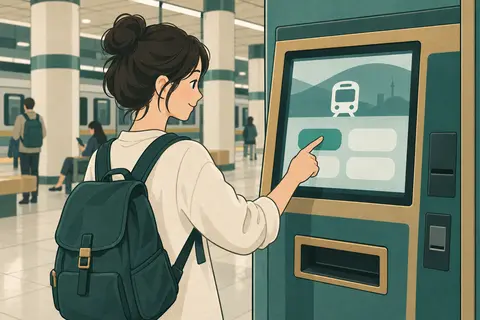
01 / ONE METRO TRIP
A single-journey ticket
Buy at the station before entering the gates.
Use a ticket machine ↗THE PRACTICAL GUIDE / TRANSPORT
From your first metro ticket to a reserved train seat: choose, pay, collect and travel.
Start with your journey type. Use the same buying steps across Korea, then check the local operator for accepted cards, fares and ticket formats.
01 / ONE METRO TRIP
Buy at the station before entering the gates.
Use a ticket machine ↗
02 / CITY TRAVEL
Pay for local buses and metro trips as you go.
Buy & reload a card ↗
03 / BETWEEN CITIES
Choose the terminal, departure and seat.
Book a coach ↗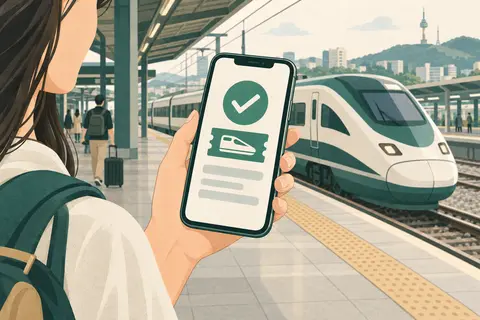
04 / RAIL JOURNEYS
Reserve the service that suits your itinerary.
Book a train ↗AT THE STATION
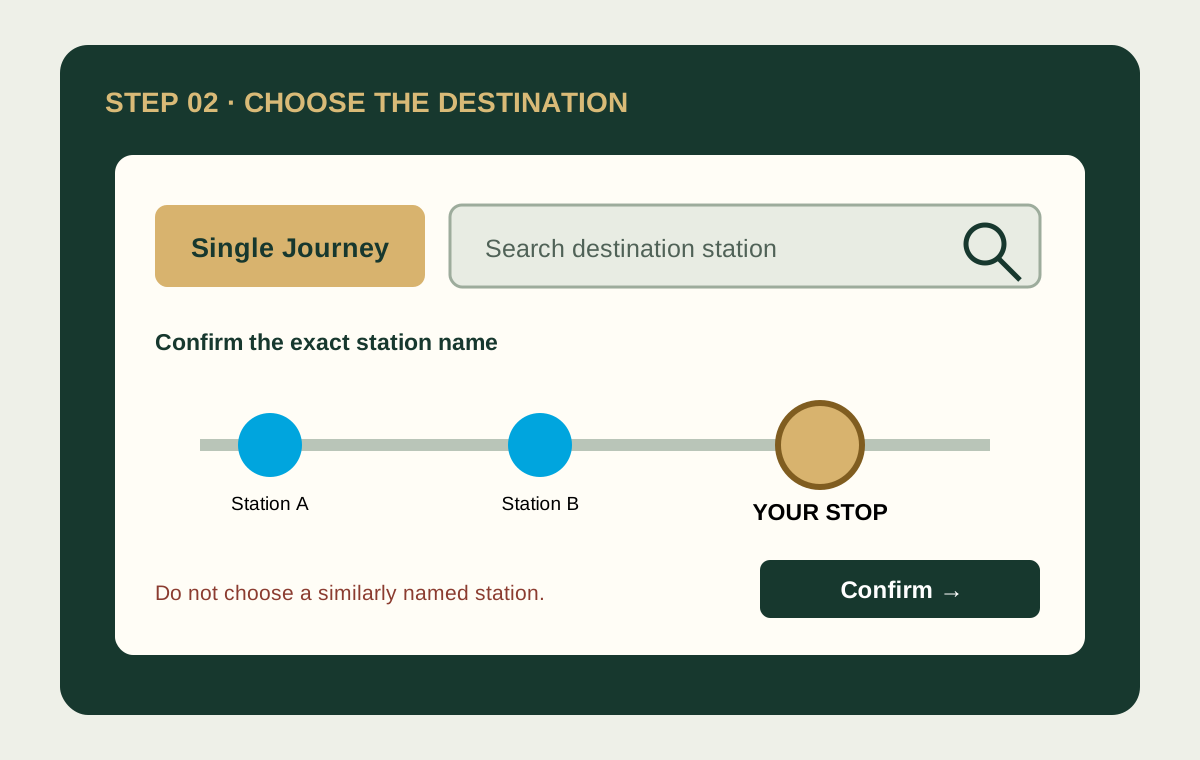
Stand in front of a ticket vending machine and follow these pictures in order. Button names and screen layouts differ by city and machine; use the English option and follow the price and payment symbols on the actual screen.
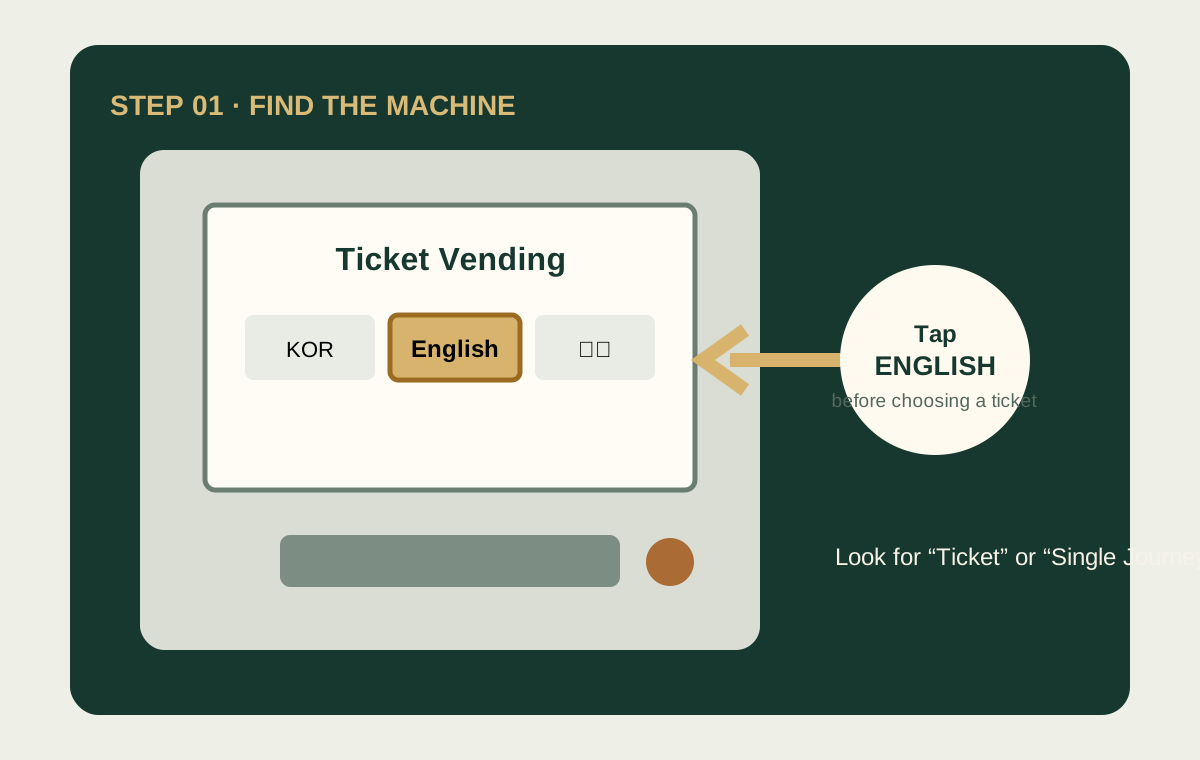
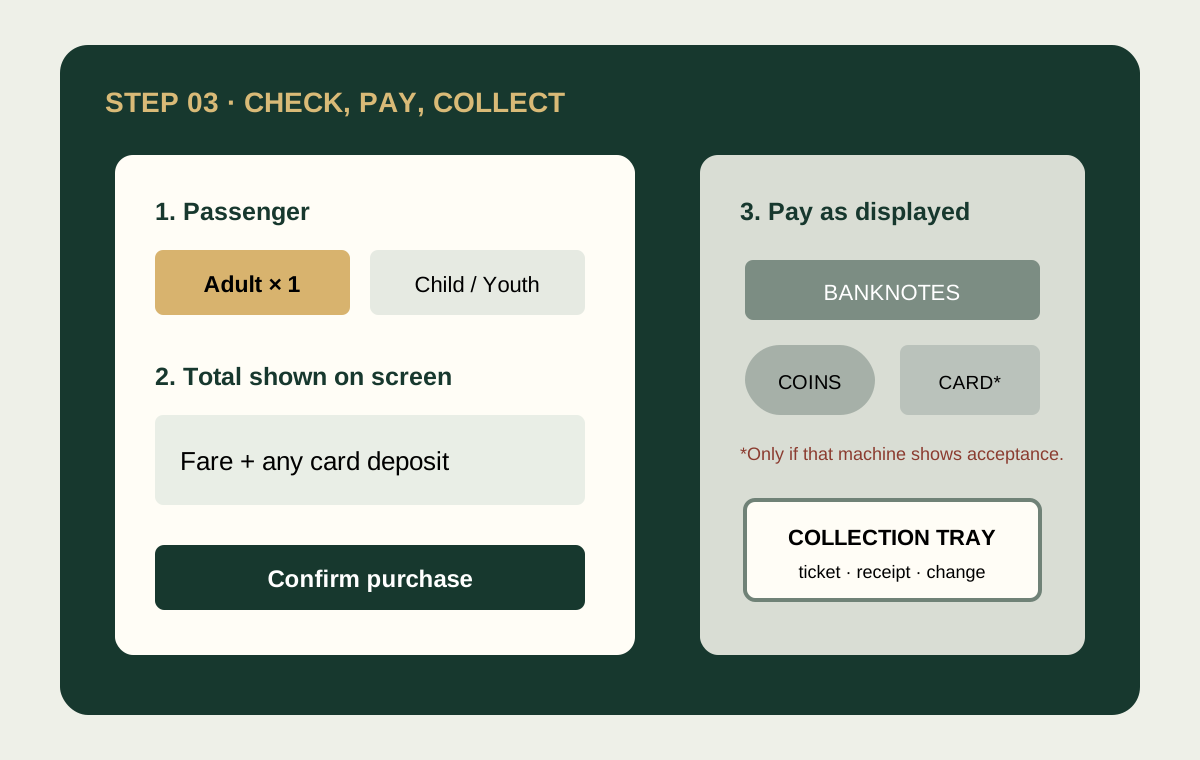
Inside the station entrance, find a machine marked Ticket Vending, Single Journey or Transportation Card. A reload-only machine may not sell a new ticket.
Change the language first. Select the single-journey option—not transport-card reload or a rail ticket.
Search the station’s English name. If several results look similar, compare the line number and transfer station shown on your route. One metro ticket covers permitted transfers inside the paid area.
Select the correct number of adults, children or youths. Discount eligibility and proof requirements vary; ask staff rather than guessing.
The screen may combine the journey fare and a refundable single-use-card deposit. Use only cash or a card type displayed as accepted by that exact machine.
Wait until the transaction finishes. Take the issued ticket/card, receipt and all change before walking away.
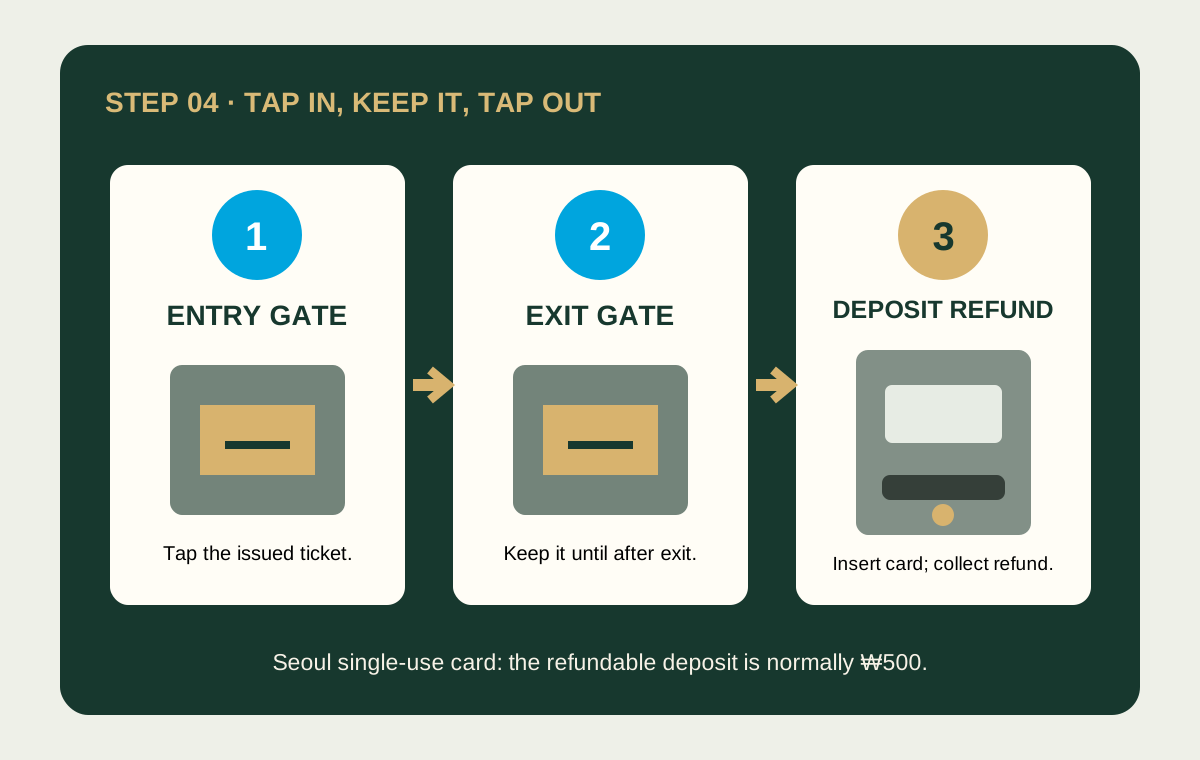
Place the issued card flat on the reader until the gate opens. Keep it separate from other contactless cards to prevent a read error.
Follow the coloured Transfer signs. Do not tap out during an ordinary transfer unless the signs specifically direct you through a transfer gate.
Use the same card to leave. If the balance or fare is insufficient, use the fare-adjustment machine or ask the staffed gate.
After exiting in the Seoul capital-area system, insert the single-use card into the Deposit Refund machine and collect the normal ₩500 deposit. Other cities have their own ticket and refund rules.
A subway single-journey ticket cannot pay a city-bus fare. For several local journeys, consider a rechargeable transport card.
VISITKOREA · regional metro guide ↗ · Seoul Metropolitan Government · public transport ↗
Metro directions, transfers & fares ↗FIRST IDENTIFY THE MACHINE
Do not assume every machine performs the same job. Identify the machine first from its heading, product buttons and payment logos.
These are genuine station photographs—not illustrations. Tap either image to enlarge it. Cabinet colour, labels and screen layout can change by station, operator and installation date, so read the words above the screen before paying.

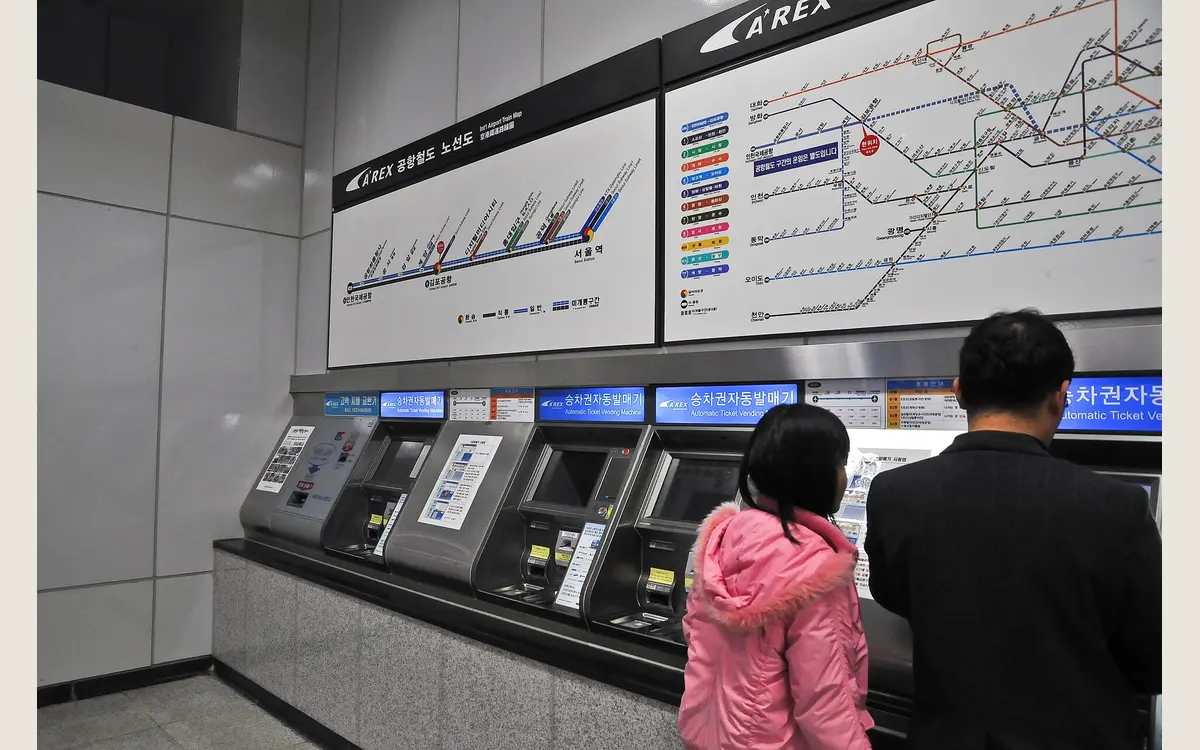

OLDER SINGLE-JOURNEY MACHINE
If an overseas-card logo is absent, do not insert or repeatedly tap your card. Use Korean won or find a new kiosk.
RELOAD-ONLY MACHINE
A reload machine may not sell a new card or a single-journey ticket. If no purchase option appears, you are at the wrong machine.
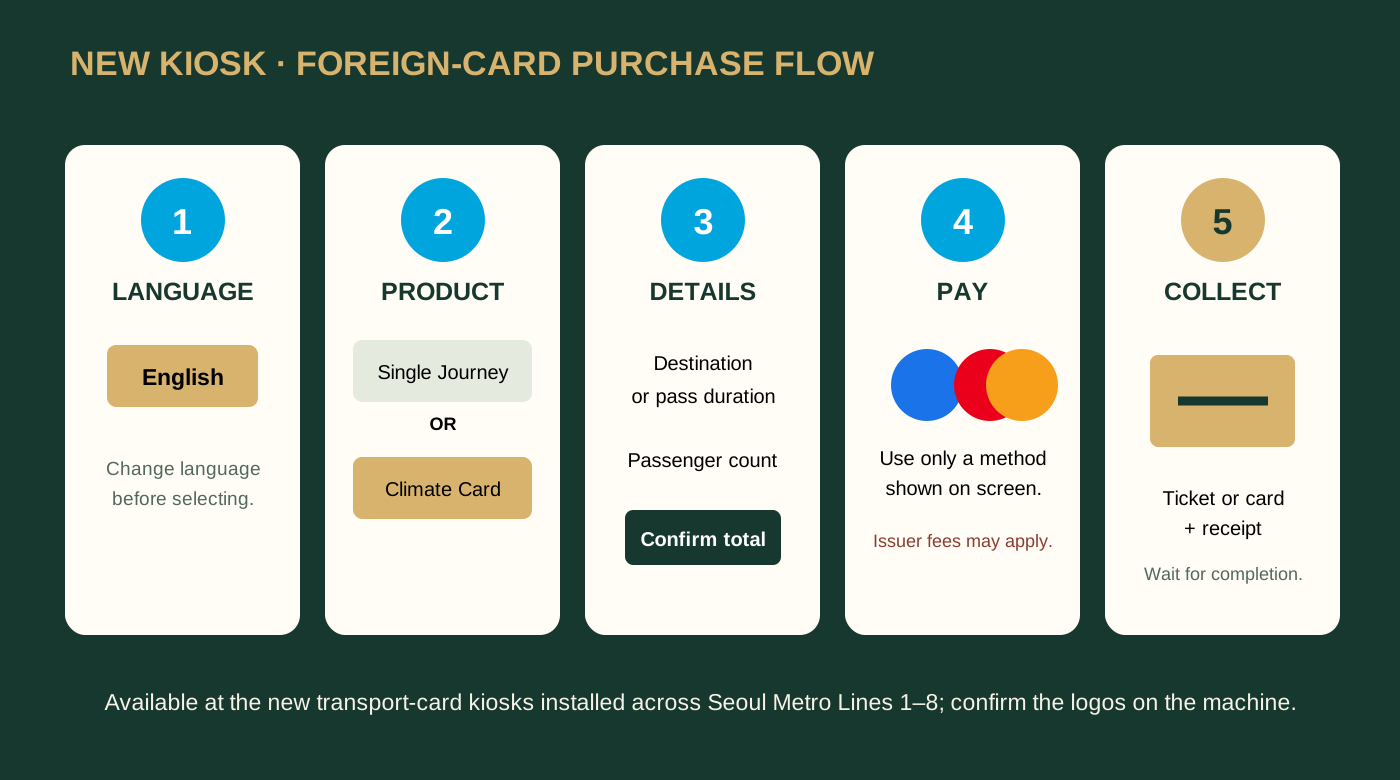
NEW KIOSK · SINGLE JOURNEY
IMPORTANT LIMIT
The kiosk may accept your foreign Visa or Mastercard to buy a ticket. That does not mean you can tap that bank card, Revolut card or Apple Pay bank card directly at the subway gate. Use the ticket or Climate Card issued by the machine.
Korea.net · overseas-card payment on new Seoul Metro kiosks, 17 March 2026 ↗ · See an official real-life photo of Seoul's newer transport-card kiosk ↗
DO NOT FOLLOW COLOUR ALONE
A line colour helps you find the corridor, but colour alone is not enough. At every split, match all three: the line number or railway name, the arrow, and the direction shown by the next station or terminal station.

Match the numbered circle or railway name—not colour alone. Several blue-toned routes can look similar.
Follow the arrow on the floor strip or overhead sign. Recheck it at every junction, escalator and long corridor.
Before the platform, match the next station or terminal direction shown in your route app. The right line can still have two opposite platforms.
TO CHANGE LINES
TO LEAVE THE STATION
UNLIMITED SEOUL TRAVEL
A Climate Card short-term pass can be useful for repeated travel within its Seoul service area. It is not automatically the best choice for an airport arrival or a trip outside Seoul.
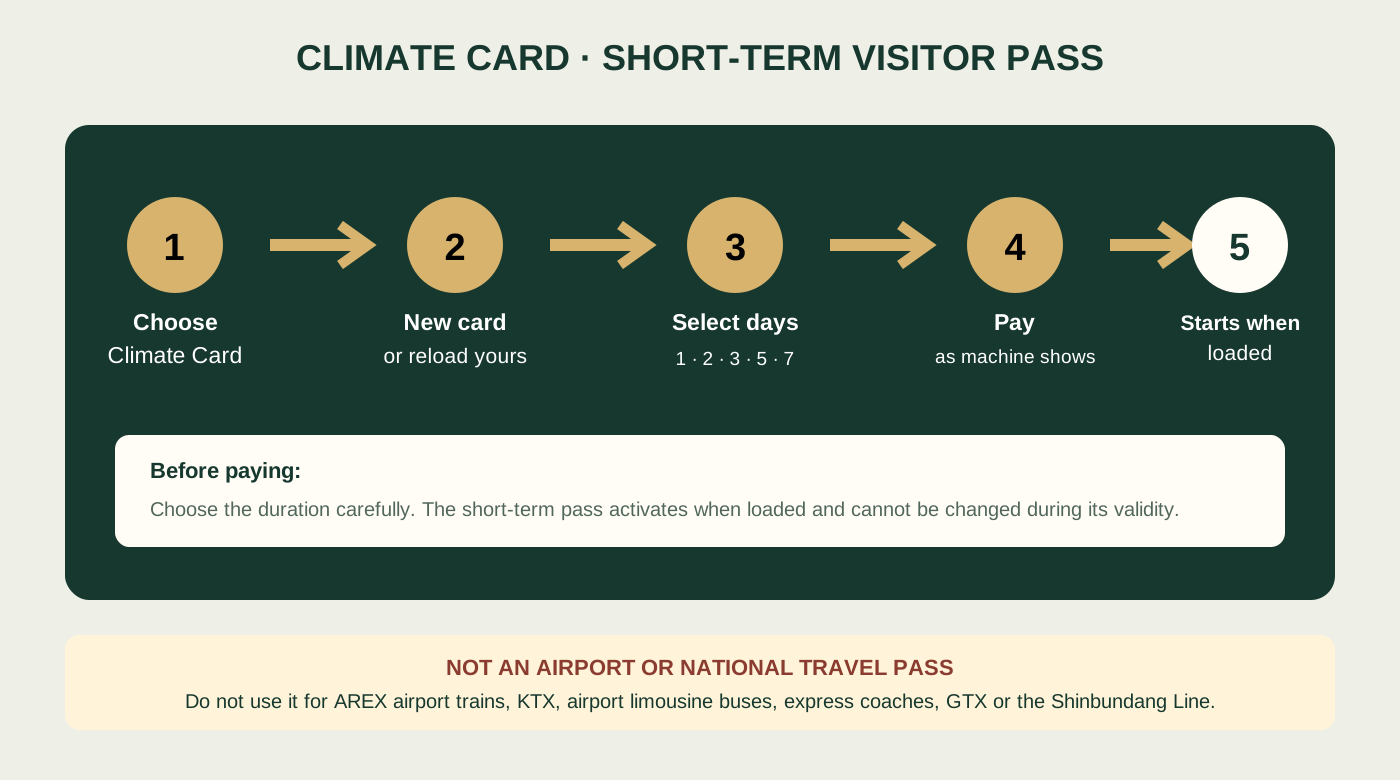
NEW KIOSK · NEW CARD
EXISTING CLIMATE CARD
Do not remove the card during writing or loading.
OLD MACHINE / STAFFED OFFICE
An older machine may sell only single-journey tickets or reload limited card products. Do not choose a similar menu. Find a new transport-card kiosk or ask the station office. Seoul Metro information centres may require cash for the physical card.
CHECK THE COVERAGE
Do not rely on this pass for AREX airport trains, KTX, airport limousine buses, express/intercity coaches, GTX or the Shinbundang Line. Check the service boundary before boarding or exiting outside Seoul.
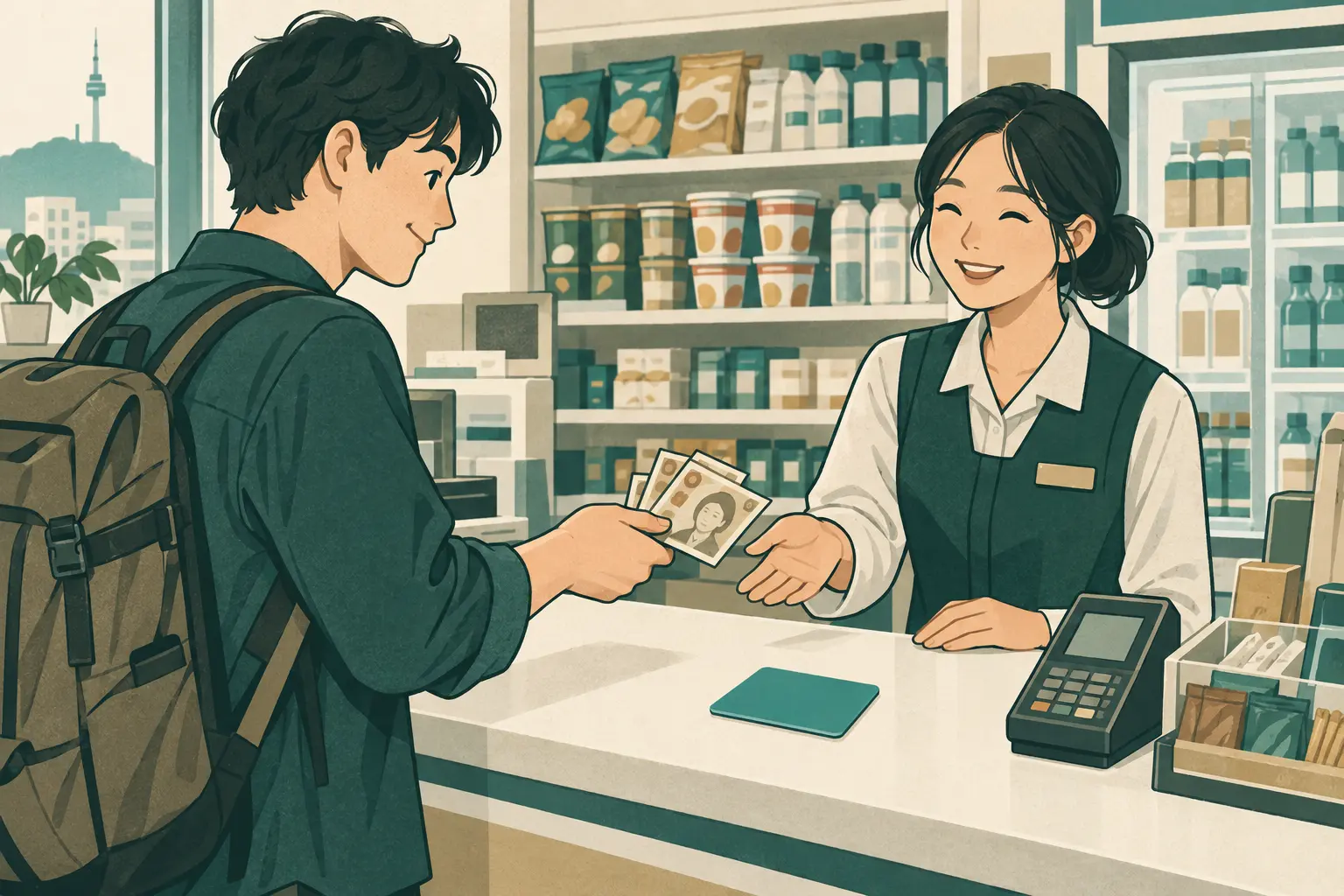
CONVENIENCE STORE OR STATION
 Enlarge illustration ↗
Look for a participating convenience store. Buy a card for each traveller; the card purchase price and money loaded for travel are separate.
Ask the retailer to load your chosen amount in Korean won. Participating station machines also reload supported cards. Plan to use Korean won cash unless the counter or machine explicitly confirms that it accepts your card.
For a child or teenager, ask the retailer about date-of-birth registration and the documents needed for the correct fare. Check the balance before leaving.
Keep the card ready at metro gates and bus readers. Follow local tap-in and tap-out instructions, and reload before your balance runs low.
| What you are buying | Can an overseas-issued card be relied on? | Safest plan |
|---|---|---|
| Tmoney or EZL card body | No. Retail payment methods vary by shop. | Carry Korean won cash and ask before the cashier opens or activates the card. |
| Tmoney or EZL travel balance | No. Do not assume an overseas Visa, Mastercard, Amex or JCB will reload it. | Use Korean won cash unless that exact counter or machine shows foreign-card acceptance. |
| Climate Card physical card or short-term pass | Not at every sales channel. Seoul Metro information centres are cash-only; newer vending machines and convenience stores can have different options. | Follow the payment logos on that machine or counter and keep Korean won cash ready. A foreign-card fee may apply where overseas cards are accepted. |
| Mpass | No. Official tourist guidance says Korean won cash only. | Prepare the full amount in Korean won. |
| WOWPASS | Different system. Its kiosk accepts listed foreign banknotes for loading; a passport is required to purchase. | Check the kiosk’s supported currencies and keep the transit balance separate from its payment balance. |
| CHECK iN SEOUL | The official app says you can recharge by credit card in the app or deposit Korean won or supported foreign currency at a kiosk. Authorization can still vary. | Apply in the app, check the current airport or city pickup point, and confirm the payment method shown before loading. |
UNLIMITED WITHIN COVERAGE
A time-limited Seoul public-transport pass for covered services. Choose it for repeated rides inside its service area. It is not a general payment card and it does not cover every airport or regional journey.
PAYMENT + SEPARATE TRANSIT
A foreign-tourist prepaid payment card with a separate transport-card function. It suits travellers who want kiosk currency loading and local merchant payment, but its shopping and transit balances are managed separately.
PAYMENT + PAY-AS-YOU-GO TRANSIT
A Lotte Card prepaid card and app for foreign visitors. The official app combines ordinary prepaid payment and transport use in one card, plus travel benefits and local information. It is not an unlimited Seoul subway pass.
HOW TO GET IT
Apply through the app and collect at a listed airport location, or use a listed city issuance point. The app says loading is available by credit card in the app or Korean won and supported foreign currency at a kiosk. Pickup locations, kiosk support and card authorization can change.
For an ordinary local bus, pay when boarding with an accepted transport card. Reserved coaches and some specialist services use separate tickets.
Local bus boarding guide ↗Ask the card issuer about refund locations, limits and fees. Keep the physical card until the refund is complete; its purchase cost is separate from the stored balance.
VISITKOREA · transport cards ↗ · Seoul Metropolitan Government · public transport ↗
APP → QR → PASSPORT → CARD
Complete the application in the official app before you travel, then use the pickup QR at a supported kiosk. Bring the original passport used for the application. Kiosk locations, supported card types and screen wording can change, so confirm the current pickup point in the app before leaving the arrivals hall.
Download the official CHECK iN SEOUL app, create the account and complete the card application. Use the same passport details you will present in Korea.
Choose the applied card and display its card-collection QR. Keep the app signed in; a saved screenshot may fail if the code is refreshed or time-limited.
Use the kiosk list in the app. Check that the machine shows CHECK iN SEOUL and supports the exact card you applied for—not only cash exchange or another tourist card.
Select English, then Card Issue, Pickup or Pre-application as shown. Button names may differ after a software update; do not choose Cash Withdrawal.
Open the QR at full brightness and hold the phone steady under the scanner. Keep the whole square inside the guide. If it fails, clean the screen, increase brightness and reopen the live code.
Place the original passport on the reader exactly as pictured. Confirm that the name and passport number match the application before continuing.
Select only a currency and payment method shown by that kiosk. Read the exchange rate, card price and any fee before inserting cash or authorising a card payment.
Wait for completion, then take the card, passport, receipt and change. Link or activate the issued card in the app if prompted, and check the payment and transport balances before walking away.
Official product description: Lotte Card · CHECK iN SEOUL app ↗ · Step sequence cross-checked against an independent 2026 kiosk walkthrough ↗.
BAG STORAGE / SEOUL SUBWAY
First identify the locker system. Many Seoul Metro stations use the T-Locker app, while some stations or railway areas have a locker with its own touchscreen, PIN, receipt or QR process. Follow the name and instructions printed on the actual locker—do not assume a nearby bank-card or ticket machine controls it.
The official app shows participating Seoul subway locations and real-time availability.
Check the station map and signs outside the platform area. Lockers can be before or after the fare gates.
Show “luggage locker” on your phone and ask whether you must exit the paid area.
Search for T-Locker by Seoul Metropolitan Rapid Transit Engineering. Allow the permissions needed for location and locker control.
Use the map, then compare the locker location, size, current availability, price and operating access time.
Confirm the bank of lockers and identification number before reserving or paying. Do not book a similarly named station or distant exit.
Select an available compartment and use a payment method offered in the app. Overseas-card acceptance can vary; keep another payment method ready.
Place the bag fully inside without forcing it, close the door and confirm the app shows the locker as locked or stored.
Keep the station, exit area, locker number and app booking. Keep enough phone battery and data to reopen it.
Return to the same locker bank, open the active booking, pay any extra time shown, then use the app’s retrieve or unlock control.
Take every item, close the door and check that the booking has ended before leaving.
TO STORE
TO RETRIEVE
Do not pull or move to another locker. Photograph the locker bank and number, keep the payment record, and call the contact printed on the machine or ask station staff. If the phone has died, use the staffed gate before leaving the station.
Photograph the station name, nearby exit/landmark and locker number. Set an alarm before the paid period ends and check that you can return before the station or locker area becomes inaccessible.
Current service information: Official T-Locker app listing ↗.
OFFICIAL WEBSITE OR TERMINAL
 Enlarge illustration ↗
Choose English, departure and arrival terminals, date and passenger count. The same city can have separate express and intercity terminals.
Review the journey, seat class and fare. Check cancellation terms and any eligibility documents before paying.
Save the booking reference. Follow the seller’s instructions: you may need to collect or print a ticket at the terminal before boarding.
At the terminal, check the departure board and platform. Match the destination, time and seat to your ticket. Board 5–10 minutes before departure.
You can also buy at a terminal counter or kiosk. Our suggestion: arrive 20–30 minutes early, allowing extra time for collection or assistance. Advance reservations are useful for a fixed itinerary.
VISITKOREA · express and intercity buses ↗
Find your Seoul departure terminal ↗OFFICIAL WEBSITE OR RAILWAY STATION
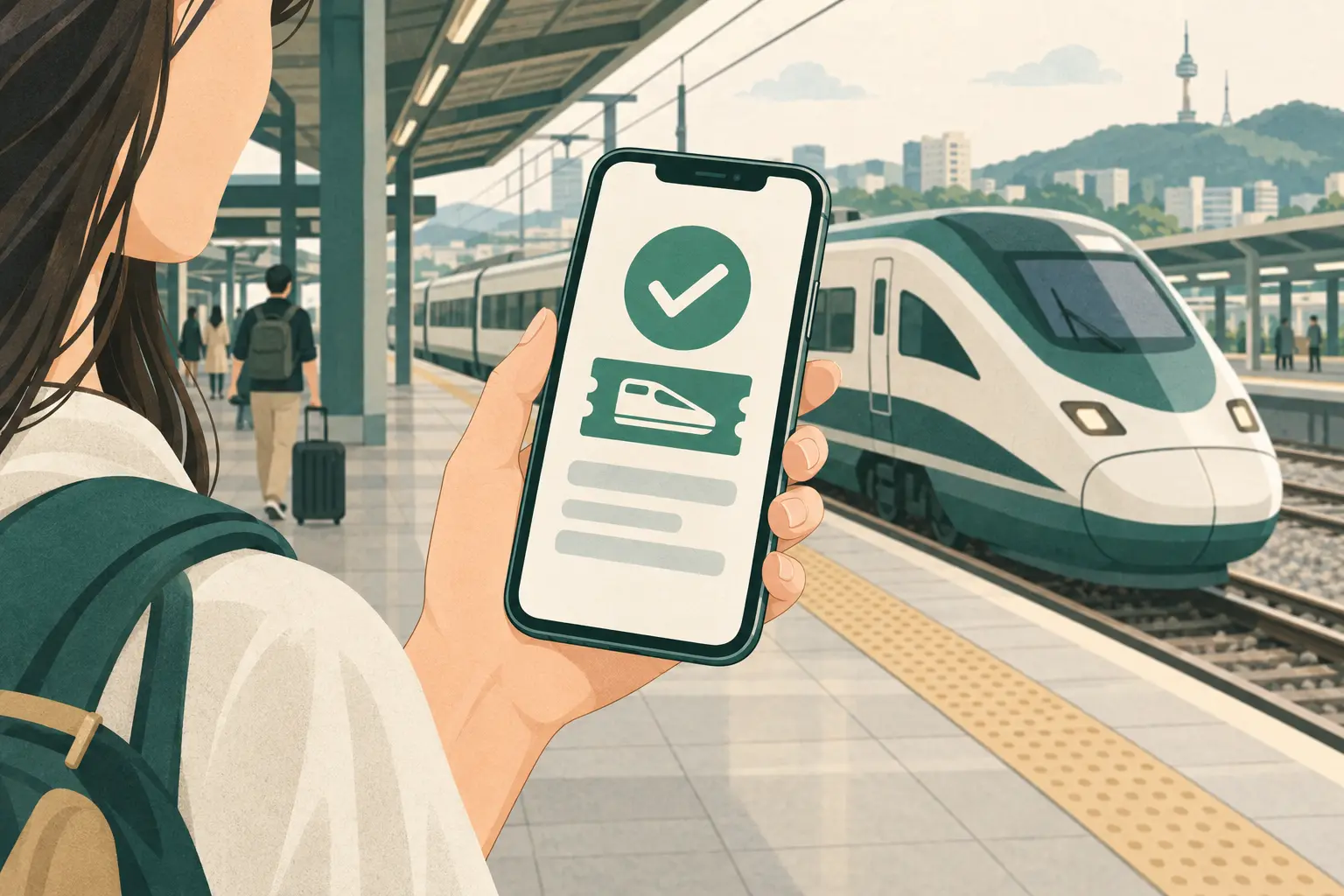 Enlarge illustration ↗
Open the official KORAIL website and select English. Enter the actual departure and arrival stations, travel date and passengers.
Compare the departure time, arrival time, class and fare. Select an available seat where offered. Check which station in Seoul your train uses.
Enter the passenger and payment details requested by the seller. Complete payment, then check that your ticket has been issued. Keep the reservation reference and ticket-access instructions.
Follow the station departure board for your train number and platform. Check the carriage and seat on your issued ticket, and keep the ticket available during travel.
Tickets are also available at railway ticket offices and kiosks. If online payment or ticket retrieval fails, ask at a staffed counter with your booking details.
OUR BOOKING CHECKLIST
| Check | What to look for |
|---|---|
| Departure & arrival | The exact station or terminal, including its location. A city name alone is not enough. |
| Date & time | Your travel date and the time shown by the Korean operator. Check both legs of a return journey. |
| Passenger & seating | The right number of travellers, passenger categories and any required proof. Confirm boarding assistance before booking. |
| Price & cancellation | The full total, change conditions, cancellation deadline and any fee. |
| Ticket delivery | Whether you receive an issued ticket, must retrieve it in an app, or need terminal collection. Keep the reference and required documents. |
WHEN YOU NEED A HAND
A physical Revolut or Wise Visa/Mastercard may work at ordinary shops and compatible ATMs, subject to the issuer and terminal. It does not become a Korean transport card and cannot simply be tapped at a subway gate or city-bus reader.
An overseas card inside Apple Pay is still a bank-payment card. Use it only where the merchant displays Apple Pay or contactless acceptance. For public transport, set up an eligible Tmoney transit card in Apple Wallet where available, or use a physical Tmoney/EZL card. Do not rely on Google Wallet, a virtual-only card or a disposable card for station reload machines.
Check the seller’s reservation lookup and your confirmation messages before trying again. A pending bank charge alone does not confirm an issued ticket. Contact the seller if payment and booking status disagree.
Open the booking with the original seller and read the conditions for that ticket. Review the fee or refund amount before confirming a cancellation. Save the confirmation and ask the seller about refund timing.
Changing plans or missing a departure does not automatically cancel a reservation. Check the original booking before purchasing a replacement.
Have your destination, preferred date, departure time and number of travellers ready to show staff.
Could I buy a ticket to this station for this date? Please show me the departure time and total price.
이 날짜에 이 역으로 가는 표를 살 수 있을까요? 출발 시간과 총금액을 보여 주세요.I naljjae i yeogeuro ganeun pyoreul sal su isseulkkayo? Chulbal sigangwa chonggeumaegeul boyeo juseyo.For travel-language assistance, contact the Korea Travel Hotline: 1330 within Korea, or +82-2-1330 from overseas.
This guide helps you prepare. Official sellers show current availability, accepted payments and the conditions for your ticket.
VISITKOREA · travelling by train ↗ · VISITKOREA · express and intercity buses ↗
Local networks and concession schemes differ. Choose a region for arrival points and local support information.
Browse all 17 regions ↗Information checked . Fares and services can change. Use the linked operator information for your travel date.
READY TO PLAN?
Click Biondi to chat. Drag the top bar to move this window. AI answers may need checking.
Where would you like to go?