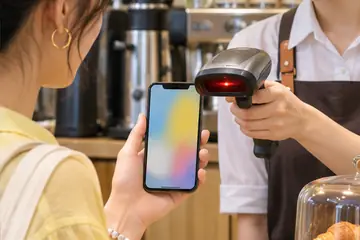
Compare Naver Pay, Toss Pay and Kakao Pay before paying in Korea. What works depends on your verification, funding method and the merchant.
Visiting Korea for a short stay?
Start with a physical international card and keep some Korean won. For app payments, check Npay Global or Toss visitor options for your eligibility. Confirm acceptance with the merchant first.
Compare payment apps
Naver Pay (Npay)
AI-generated payment illustration
Eligible short-stay visitors without Korean identity verification can use Npay Global with an overseas credit or debit card on supported services. The regular verified service uses eligible Korean cards or bank accounts.
How to use it
Check whether the service supports Npay Global and whether you can join as an eligible short-stay visitor.
Choose Npay at a supported checkout and select the overseas credit or debit card option when shown.
Review the total, complete any verification your card issuer asks for, and check the order confirmation.
Toss offers passport signup with limited features and a visitor prepaid option. Its visitor FAQ lists some Mastercard, JCB and UnionPay cards for Toss Money top-ups. At checkout, confirm which Toss Pay method the store accepts.
How to use it
Sign up for Toss with your passport if eligible. Open Add money and select one of the top-up options shown in the app.
For in-store use, apply for and collect the Toss Prepaid Card. Pay with the physical card using your Toss Money balance.
For an eligible Baemin guest order, select Toss Pay at checkout and confirm in the Toss app. This option can work before the physical card arrives.
Check identity verification and product requirements before relying on Kakao Pay. Its help centre says foreign residents applying for a Pay Money Card need a foreign registration card and KakaoTalk on a phone in their own name.
How to use it
Check that your Kakao Pay account and a supported payment method are ready and ask if the store accepts Kakao Pay.
Open the payment tab. Show your payment barcode or QR code to the cashier, or scan the store QR code with Kakao Pay when prompted.
Check that the amount is correct and the payment appears in your history.
Toss Face Pay uses facial recognition at participating stores. It requires advance registration in the Toss app.
Search for Face Pay in the Toss app. Complete the identity and face registration steps shown in the app.
Check which payment method is selected. At a supported checkout, ask for Face Pay and look at the terminal camera when prompted.
Check the amount and confirm the transaction in your payment history.
Toss says foreign nationals can use it after completing Face Pay registration. If you signed up with only a passport, check in your app whether registration is available. You can withdraw consent in the app.
Ask whether the terminal accepts your card or wallet. For QR payments, check that your own wallet supports that merchant. If it fails, try a physical card or cash.
On a Korean website
Look for “해외카드” (international card) at checkout. A store using Toss Payments may enable international cards separately. If you see only a Korean-app option, ask the seller about another way to pay.